
Choose the bud.
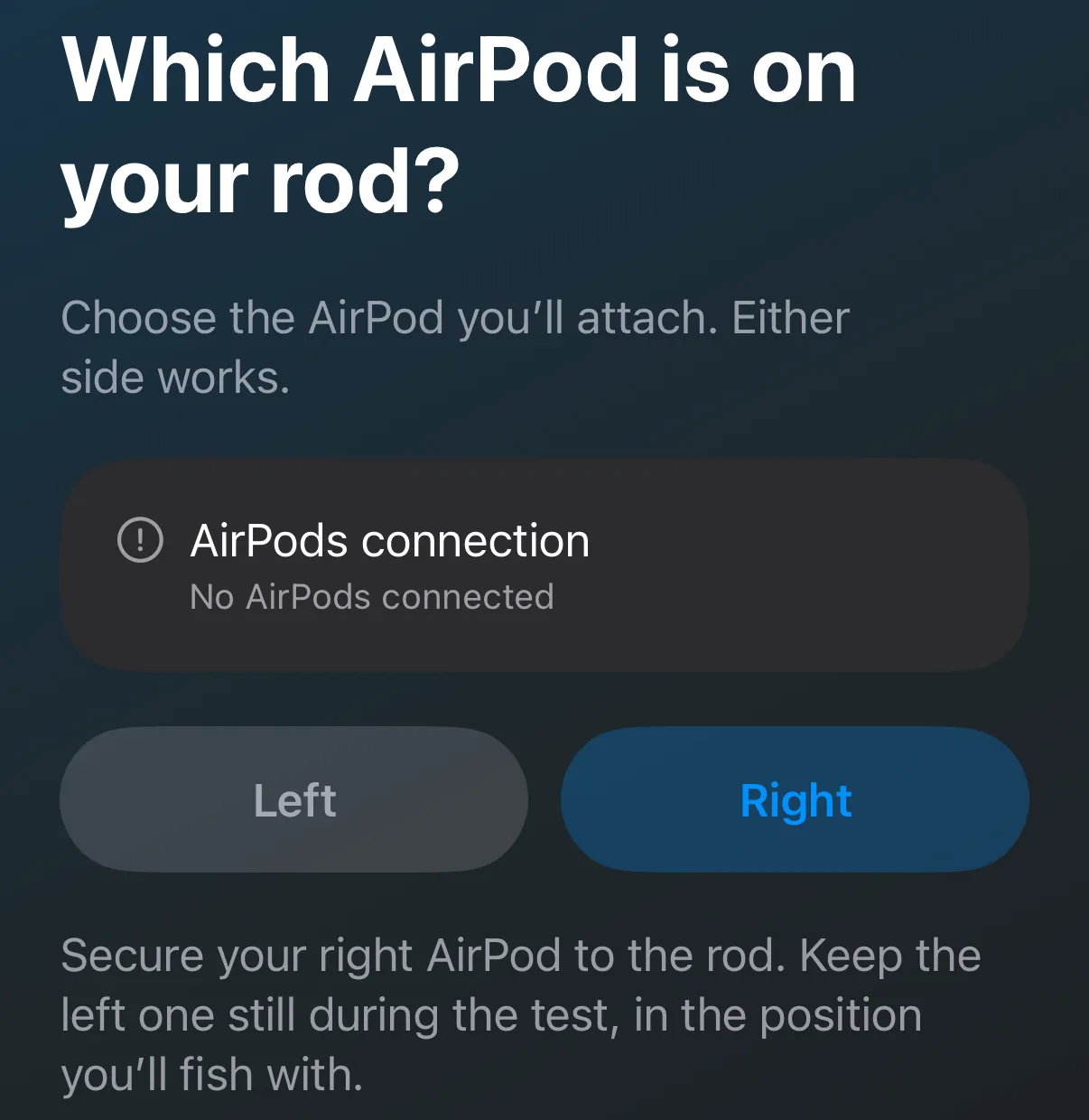
Pair your AirPods with your iPhone as usual. In RodPod, open AirPods & rod setup (from Settings, Start fishing or Rod alerts), allow Motion & Fitness and Microphone, then pick the AirPod that goes on the rod. Either side works.
The fishing motion journal
RodPod reads the motion of one AirPod on your rod. Fish as usual, then look back at your estimated casts, how hard you cast and how the rod moved.
iPhone with iOS 17 or later · AirPods that provide motion · Free, 10 minutes per session
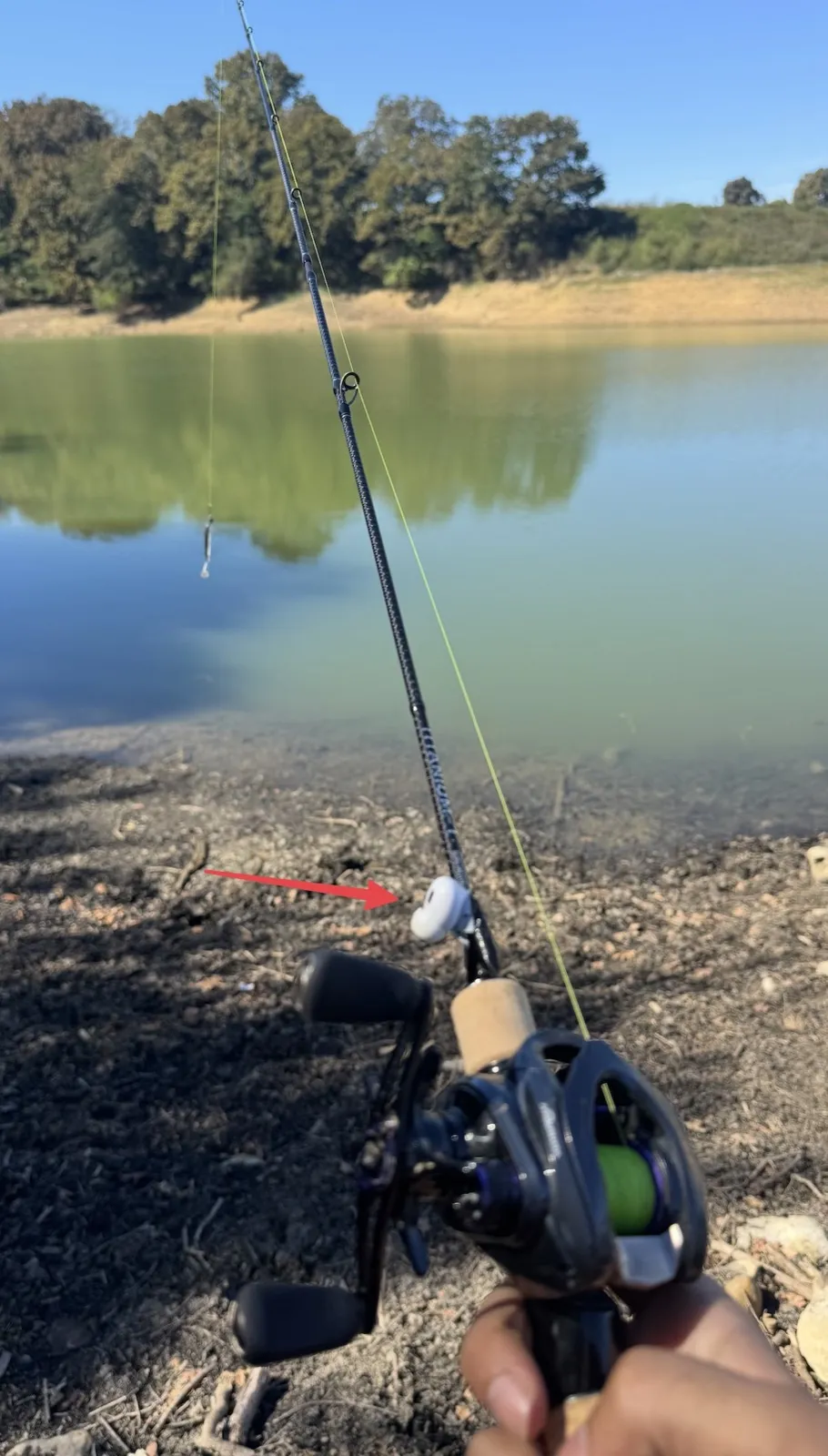
Setup
You need: an iPhone with iOS 17 or later, AirPods that provide motion, and some tape.
Pair your AirPods with your iPhone as usual. In RodPod, open AirPods & rod setup (from Settings, Start fishing or Rod alerts), allow Motion & Fitness and Microphone, then pick the AirPod that goes on the rod. Either side works.
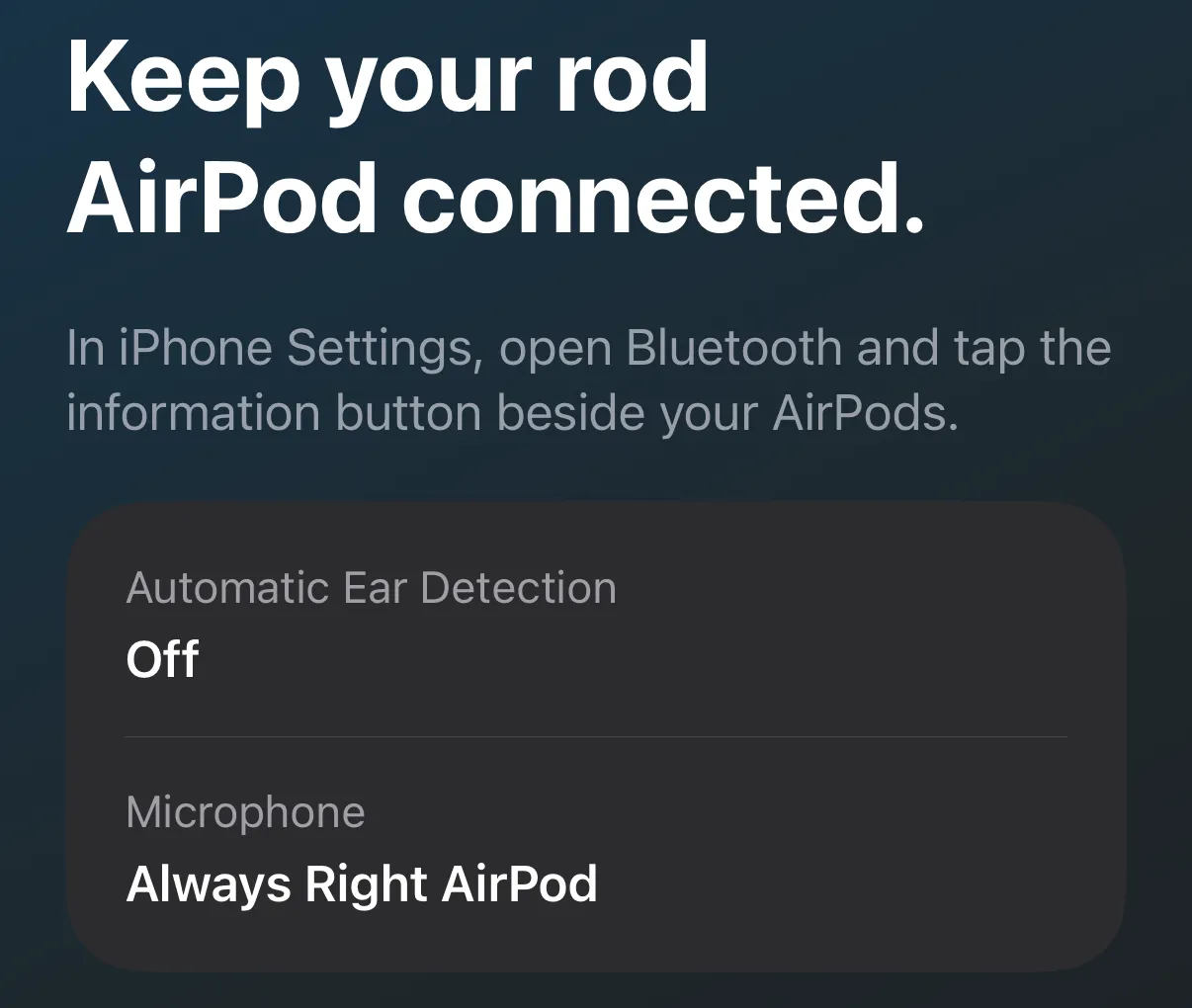
In Settings → Bluetooth, tap ⓘ next to your AirPods. Turn Automatic Ear Detection off and set Microphone to Always Right AirPod (or Left, to match). RodPod can't change these for you.
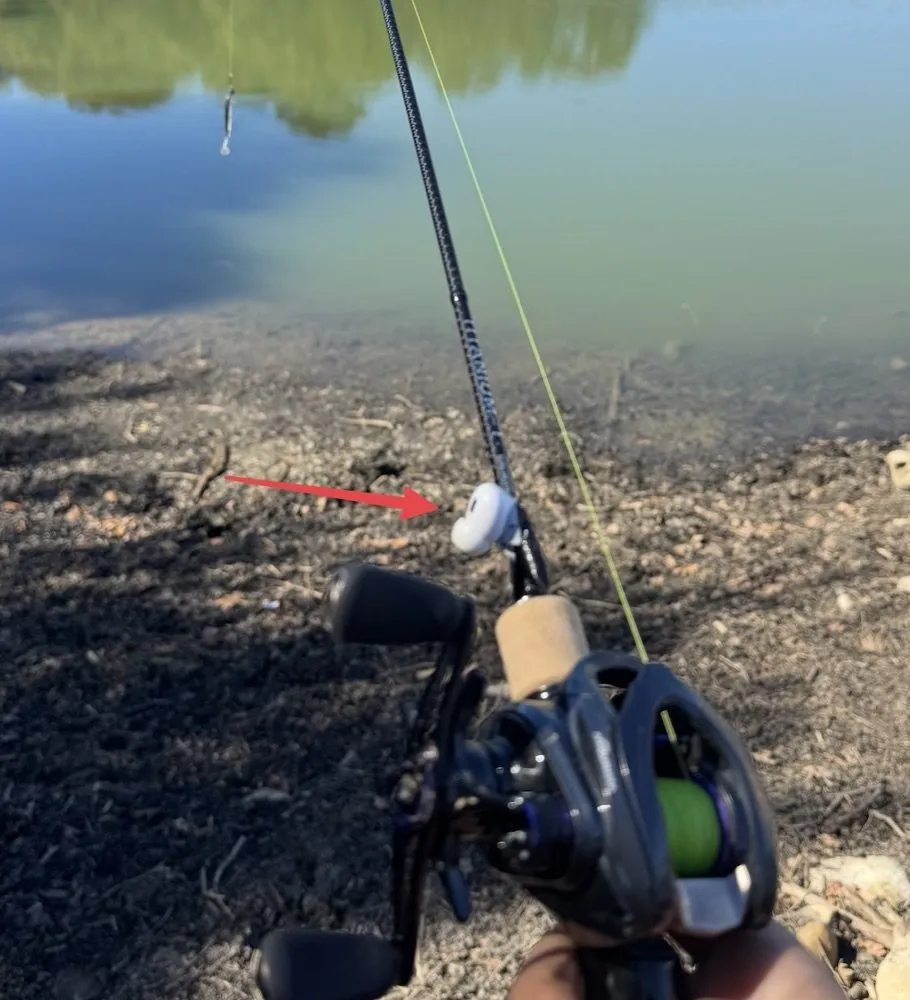
Put it on the blank just ahead of the grip, on the side, clear of the line and your thumb. One snug wrap of tape so it can't wobble. That's our field-test mount; others can work, and the mount affects the readings.
It starts on its own once your AirPods connect. Move the rod and keep the other AirPod still and out of your ear. Continue as soon as movement is verified; the test runs for up to six seconds.
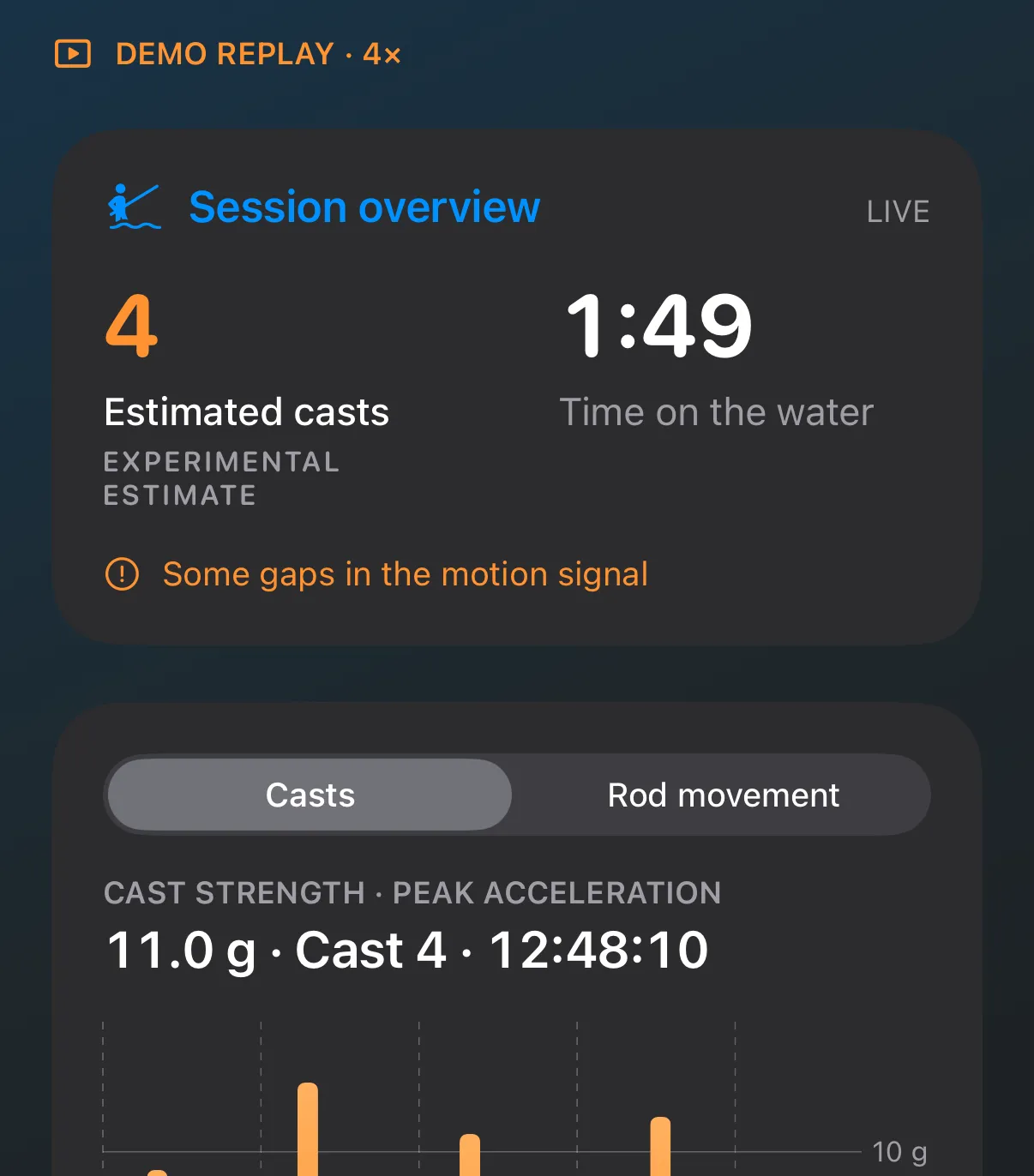
Tap Start fishing and fish as usual; there's nothing to narrate. Estimated casts appear as you cast. Tap Finish to save the outing and see its technique timeline.
Run the test again whenever you change the AirPod, the rod or the mount. See the mount in 3D · Setup guide and troubleshooting
After the outing
Real screens from our first outing: one recording. Casts and techniques are experimental estimates, not a benchmark.
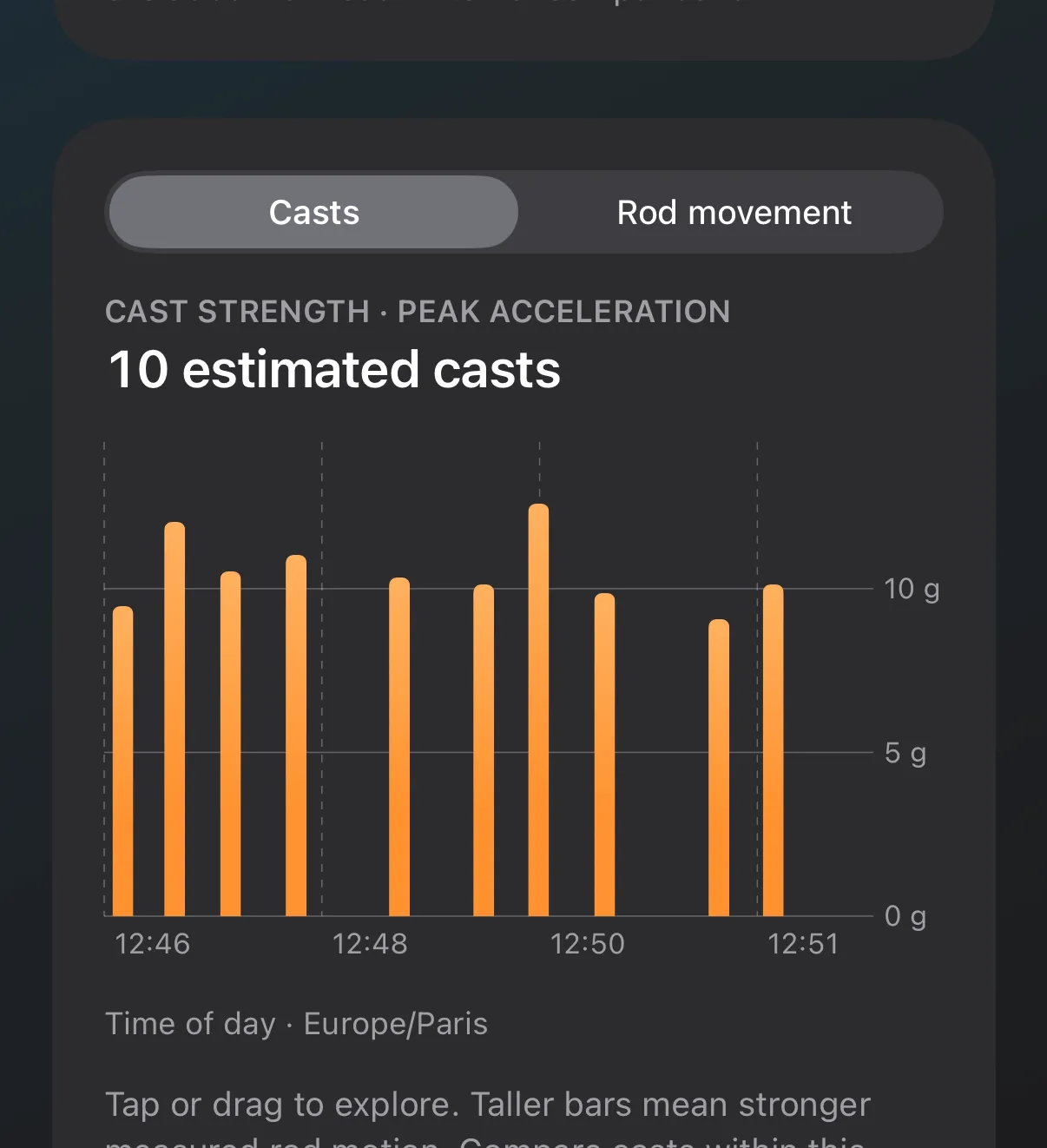
When it happened, and how hard: peak acceleration at the AirPod, in g.
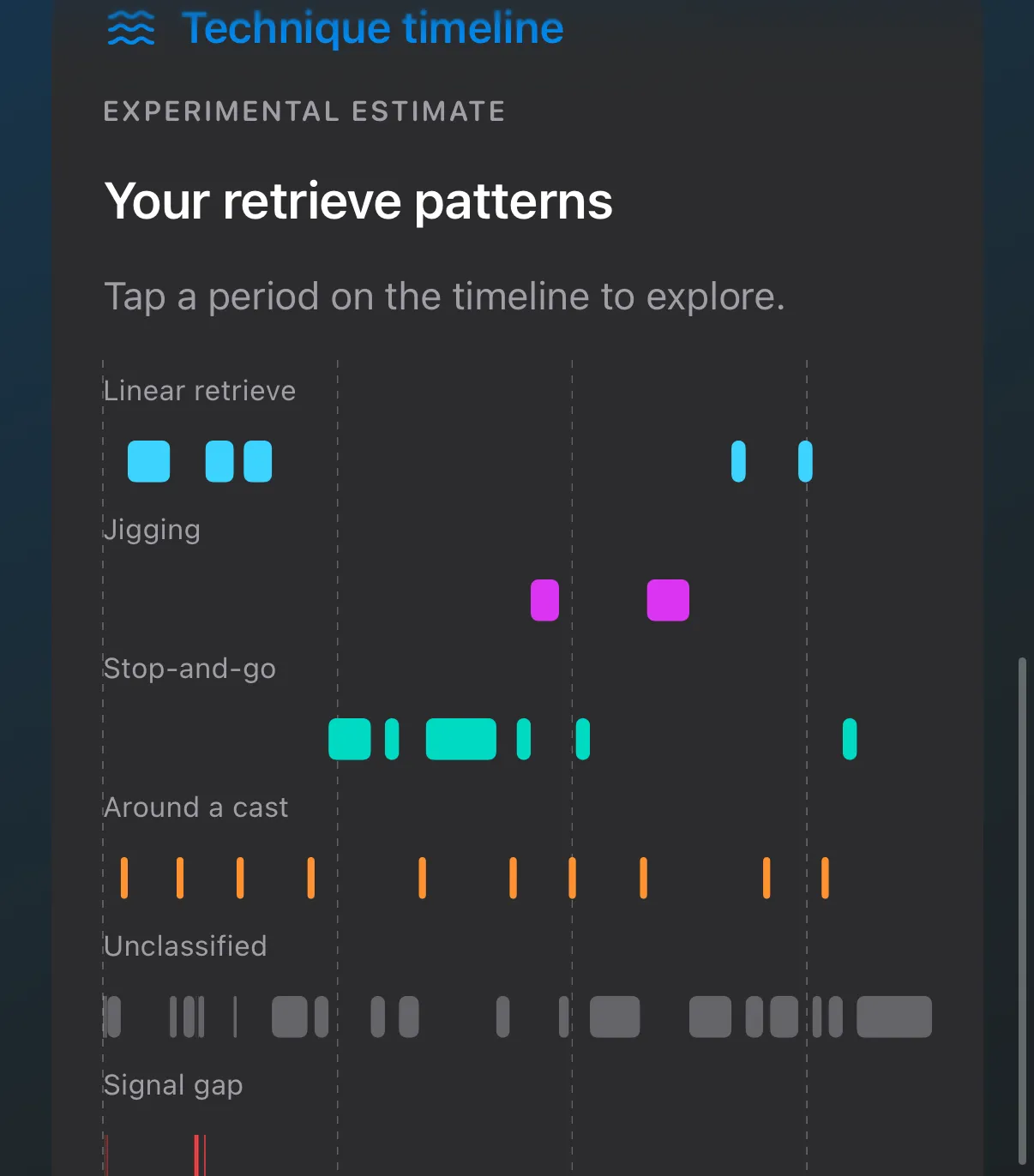
Linear, jigging or stop-and-go: an experimental best guess.
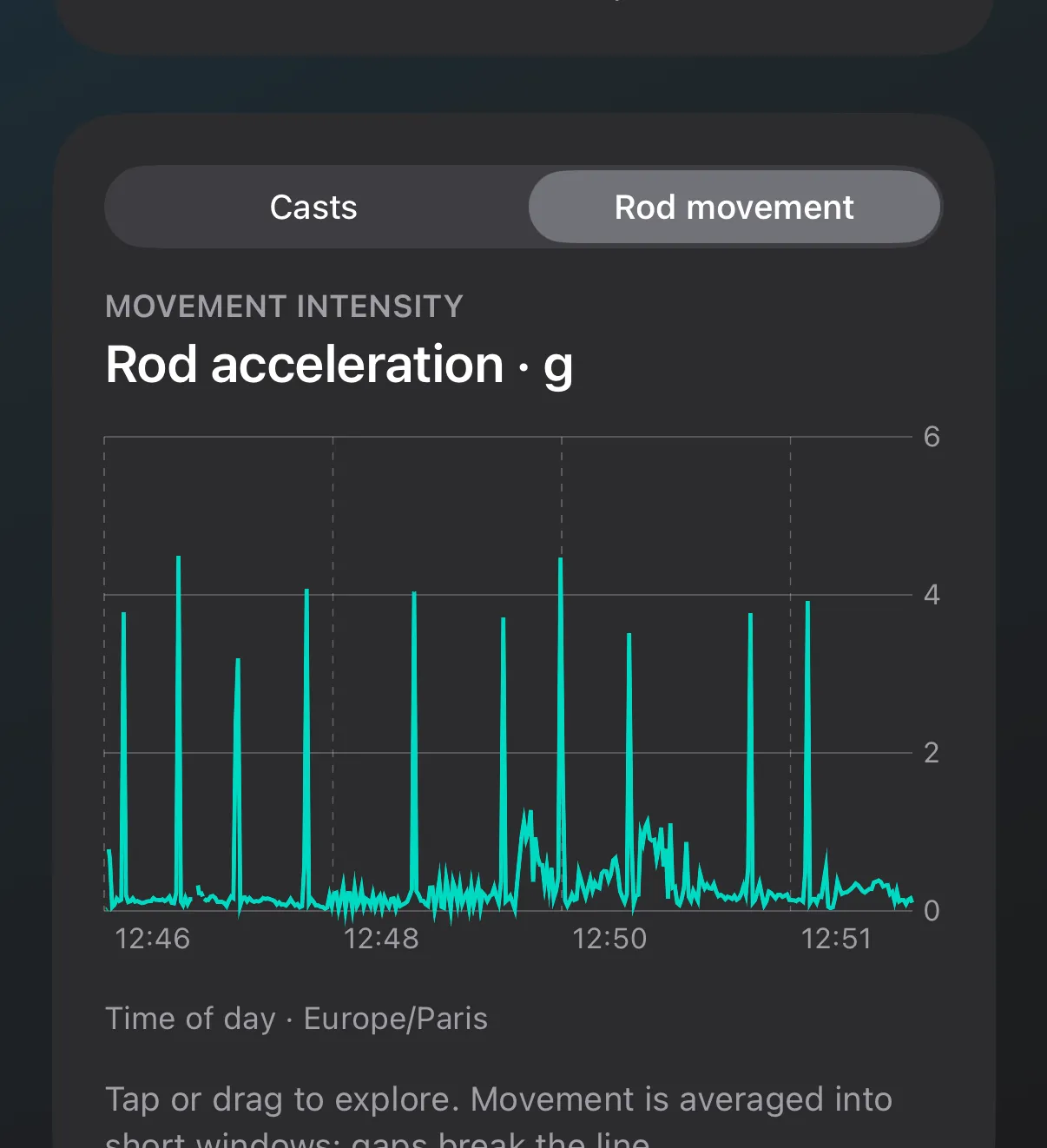
Every move of the rod, the quiet bits too.
Second mode · Rod alerts
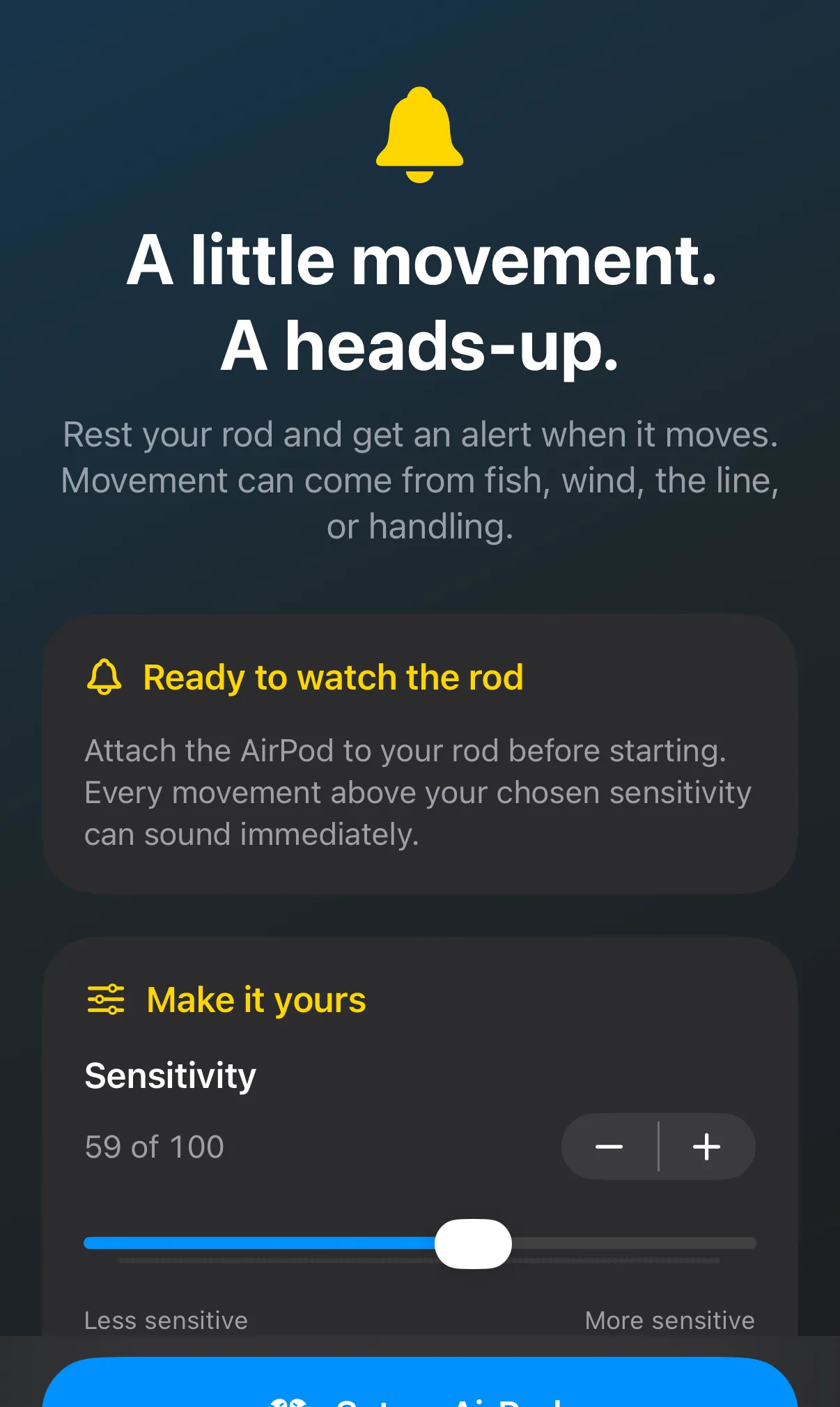
Prop the rod on a rest, keep the other AirPod in your ear and set a sensitivity from 0 to 100. RodPod sounds when the rod moves more than that. An alert means the rod moved; it is not a bite detector.
10 free minutes per monitoring session. A call, lost connection or other audio interruption stops monitoring.
Good to know
Up to 10 minutes in every fishing or rod-alert session. A new session starts a fresh allowance.
An optional annual subscription that removes the session limit for both modes. €34.99 / year in France; other local prices are shown before purchase.
Payment and renewal are handled by Apple. Saved trips stay available on either plan.

Questions? support@rodpod.app