
3D tutorial
Mount it,
step by step.
Scroll to walk through our field-test mount: which AirPod, where it goes, how to tape it and the movement test. On a computer, drag the rod to turn it. Prefer a quick list? The five steps are on the home page.
 R On the rod L Stays out Just ahead of the grip Line runs on top One wrap of tape Moving Keep still
 Cast estimated experimental
-
Choose a bud.
Either side works. We'll use your right AirPod. RodPod's guided setup then shows the matching Bluetooth settings: Automatic Ear Detection off, Microphone set to that AirPod.
-
Find the spot.
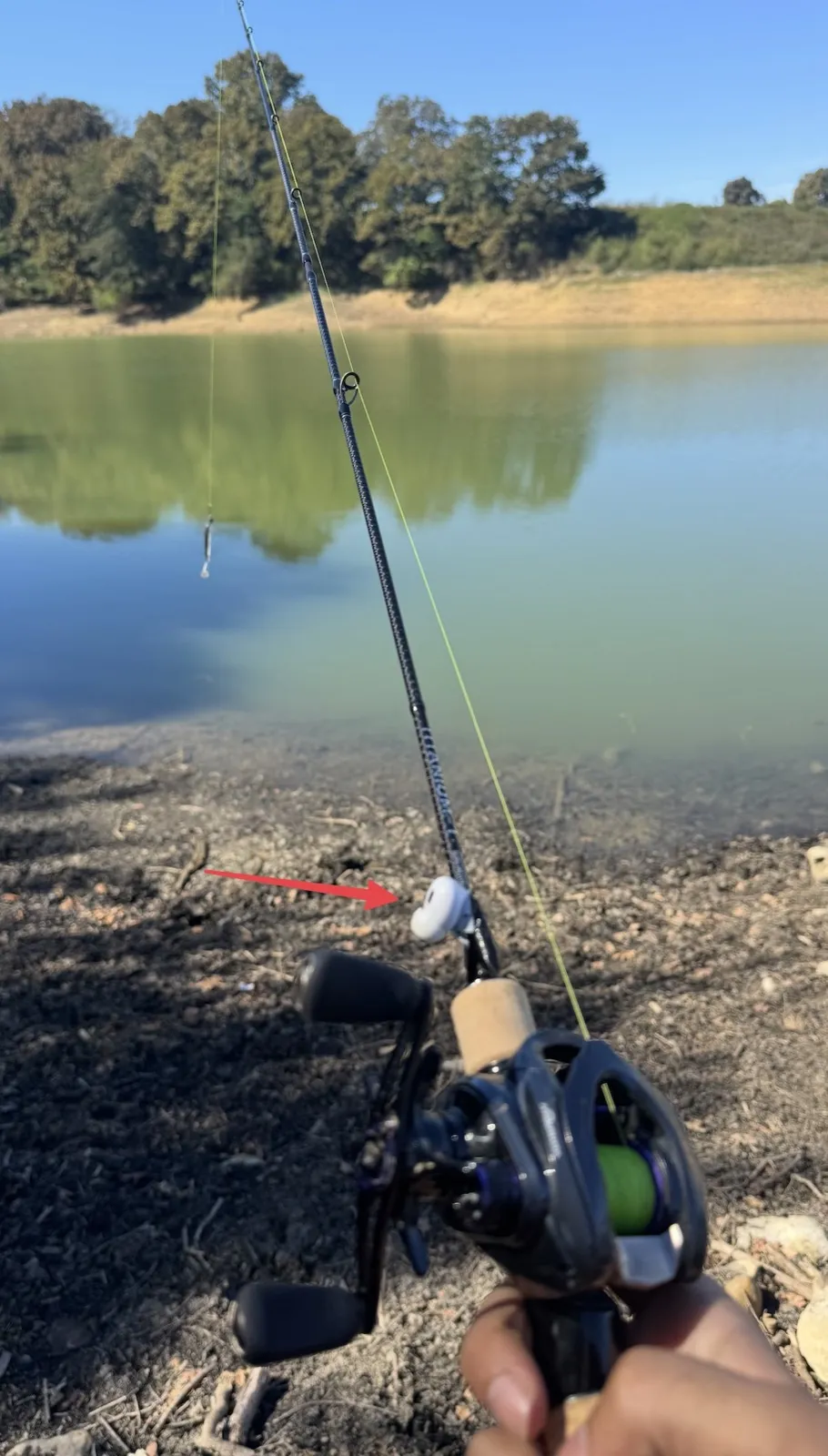
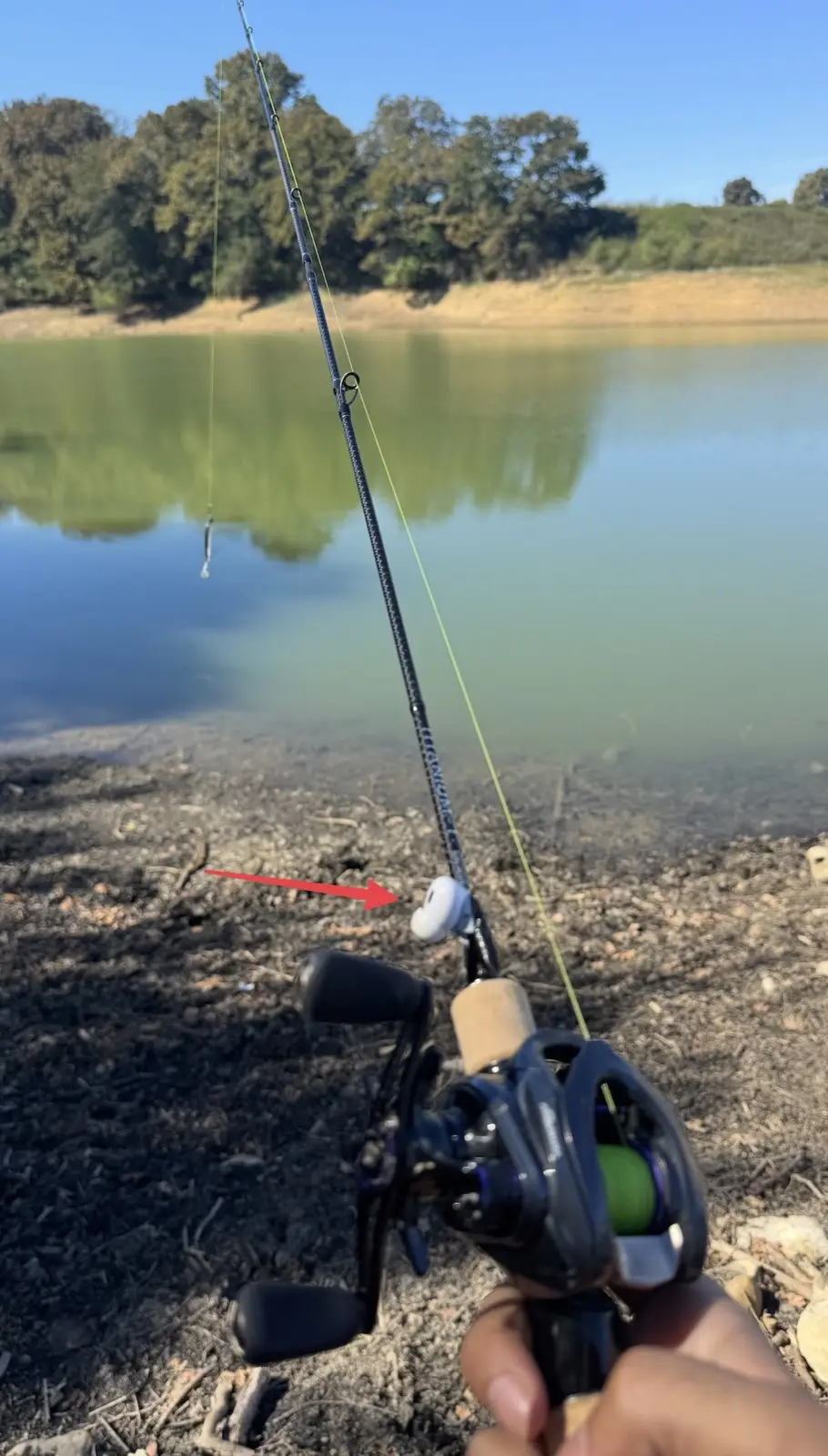
On the rod blank, just ahead of the grip. Keep it on the side, clear of the line and away from your thumb.
-
Tape it on.
One snug wrap over the stem and the blank, so it can't wobble. Tape is what we used in field testing. Other mounts can work too; mounting affects the readings, so rerun the setup check whenever you change it.
-
Run the check.
The movement test starts on its own once your AirPods connect. Move the rod and keep the left AirPod still. Continue as soon as the movement is verified, or watch the graph for up to six seconds.
-
Go fishing.
Start a session and fish your way. Estimated casts appear as you cast; the technique timeline is prepared when you finish. Estimates are experimental and can miss casts or count other vigorous movement.
Our field-test setup
An AirPods Pro bud taped to a casting rod, in front of the foregrip. This is one working example, not a certified mount. Equipment and mounting affect the readings.
iPhone with iOS 17 or later + compatible AirPods that provide motion data.
Check the setup guide